
B2Portal is an AI-powered order management and estimation platform built for printers and sign shops. It captures orders from email, organizes them in one place, and pushes structured data directly into CoreBridge - without changing how you quote or invoice. In short, B2Portal turns email order requests into clean, structured Estimates in CoreBridge, reducing manual entry and helping you respond to Customers faster.
For more information about B2Portal's services or to get started, visit b2portal.com or contact their team at hello@b2portal.com.
Table of Contents
How the Integration Works
B2Portal and CoreBridge are designed to work together as complementary tools. CoreBridge remains your system of record for Orders, Estimates, production, and business operations. B2Portal works upstream as the email capture and estimation layer, handling incoming quote requests before they reach CoreBridge.
When a Customer sends you a quote request by email, you forward it to your B2Portal forwarding address. B2Portal parses the email using AI, references your CoreBridge product catalog to align Line Items, and creates a draft Estimate in CoreBridge for your review. From there, you finish the Estimate in CoreBridge as you normally would - reviewing lines, adjusting pricing, and converting to an Order when ready.
Before You Begin
The B2Portal integration must be enabled for your account before it will appear in your settings. If you do not see B2Portal listed under Global Settings, contact CoreBridge Support.
Navigate to Management / Global Settings / Services and scroll down to B2 Portal Integration.
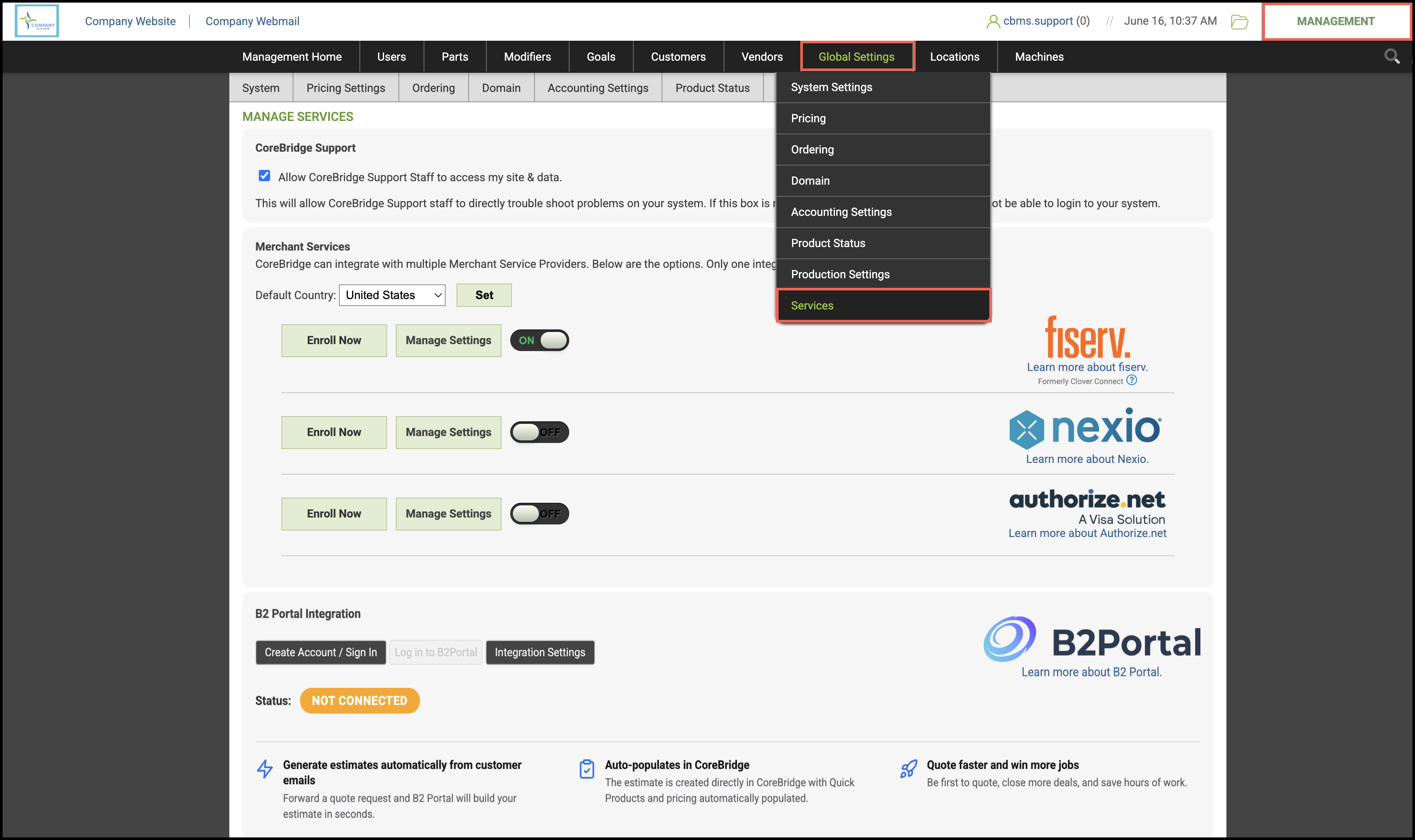
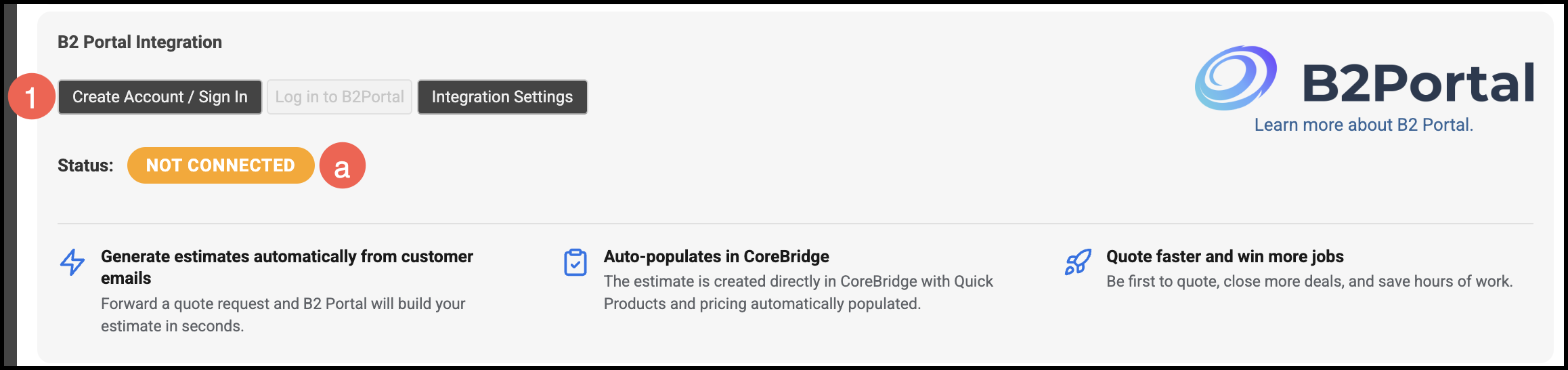
1. Click Create Account / Sign In and follow the prompts.
a. Status will update to reflect that you are connected.
Using B2Portal
Once connected, B2Portal provides you with a unique forwarding email address tied to your account. This is the address you will use to route incoming quote requests into the workflow.
1. Forward a Customer's quote request email to your B2Portal forwarding address.
2. B2Portal parses the email and references your CoreBridge product catalog to build the Estimate.
3. A draft Estimate is created in CoreBridge for your review.
4. Open the draft Estimate in CoreBridge and review the Line Items, pricing, and Customer details.
5. Make any needed adjustments and convert to an Order when ready.
All Estimate and Order management continues in CoreBridge, so your existing production and operations workflow stays the same.